

Wskazówka: Poniższa konfiguracja dostępna jesr dla central z oprogramowaniem sprzętowym w wersji co najmniej 5.111.
Na początek:
- Podłącz dostarczony zasilacz do gniazdka i do centrali.
- Centrala włączy się, poczekaj aż dioda zaświeci na czerwono (miedziany w przypadku Home Center 3).
- Podłącz swój komputer do sieci Wi-Fi utworzonej przez bramę.
- You will find Wi-Fi SSID (name) and password on the bottom of the device.
- Go to find.fibaro.com (if you are connecting to the gateway Wi-Fi go to 10.42.0.1)
- List of all gateways in your home network will be displayed.
- Click Open next to gateway you want to configure.
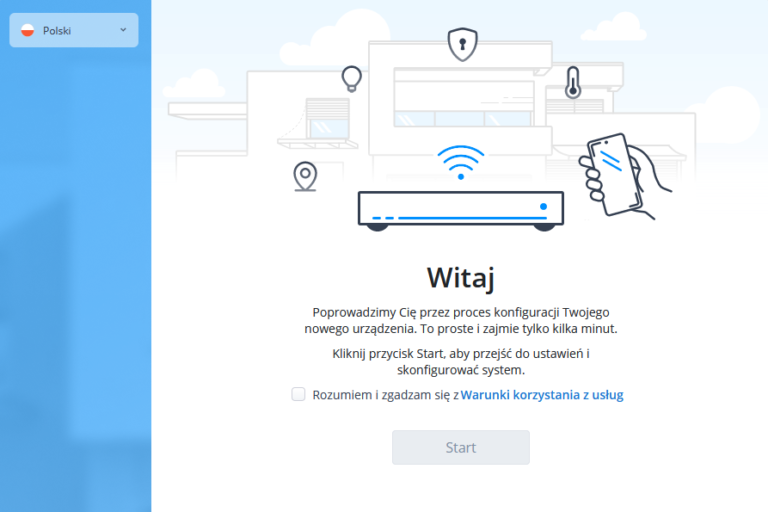
- Choose your language.
- Read and accept the “Terms of Service”. You are logged in with the default credentials (admin/admin).
2. Select Z-Wave engine. Once a selection is made, it will not be possible to change it.
3. Network selection – select the method of connection – Wi-Fi or LAN.
- If LAN is available, it should be selected as default
- If LAN is not available, the option will be disabled

4. Once the desired network is selected:
- If LAN connection is selected (recommended) – a screen with connection parameters will appear.
The parameters are already set, but it is possible to change them. - If Wi-Fi network is selected – select a network from the list. Enter the network password (in the case of a hidden network – network name, password and security level)
5. Set your location.
6. Set preferred units.
7. Change local credentials (obligatory).
8. Remote access. You can connect to your Fibaro ID or create one.
If you only want to use the gateway locally, click Skip.
9. Success! The device will be reset and ready for use.
If the FTI process is interrupted – a new process starts from the last unfinished step.